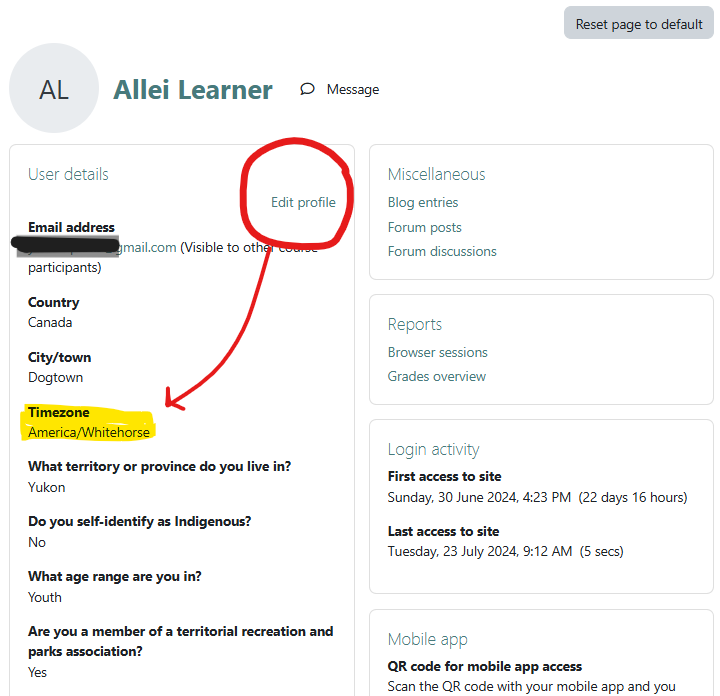
When you create an account, the default time zone is America/Whitehorse.
Change your time zone setting in your Profile. Click the drop-down arrow beside your initials or profile picture, then choose Profile. In your Profile window, choose Edit Profile as shown below and then find your time zone.
Note for NWT learners: Moodle dropped Yellowknife as a time zone option in 2023. Choose America/Edmonton instead.